Creati:AI Image Video Maker
- 3.8
- Rating
- 10.00M
- Installs
- Free
- Price

 Analysis by App-foxy
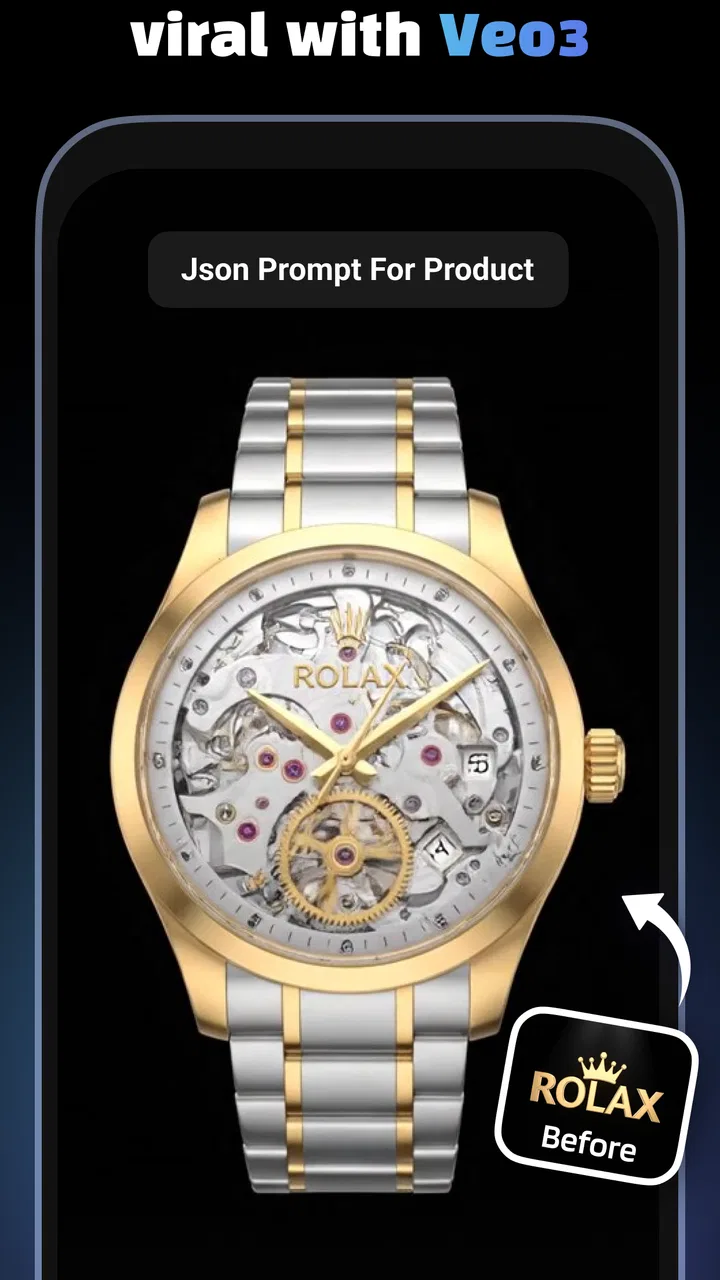
I came away from Creati: AI Image Video Maker thinking of it less as a traditional design studio and more as a fast visual production tool. Its main appeal is speed: I can start with a product image, choose a ready-made direction, and move toward a short promotional video without building every scene from scratch. That makes it especially interesting for small sellers, social media creators, and anyone who needs attractive content quickly but does not want to learn a full video editor.
The trade-off is just as important. This is not the app I would choose when I need precise control over typography, detailed timelines, careful brand consistency, or a polished campaign assembled frame by frame. The experience is built around templates and AI-assisted creation, so the result depends heavily on the starting image, the selected style, and how much adjustment the workflow allows. In my view, Creati works best when the goal is to produce several eye-catching ideas quickly rather than perfect one finished advertisement.
What using Creati feels like in practice
Creati sits in the Art & Design category and is developed by Mojio AI Photo Generator. It is free to install, with optional in-app purchases ranging from $4.99 to $99.99 per item. The app is rated for Everyone, which makes it approachable for a broad audience, although the practical usefulness still depends on the kind of content you want to make. Someone creating a simple social post will have a very different experience from a shop owner trying to maintain a strict visual identity.
You May Also Like

 Blood Strike: 2.5 Anniversary
Blood Strike’s Loadouts Turn Every Drop Into a Tactical Gamble
A close look at Blood Strike’s custom loadouts: how fast access to signature weapons reshapes its battle royale rhythm, rewards preparation, and narrows the gap between fights.

 Pandora - Music & Podcasts
Pandora’s Music Is Easy to Start, but Harder to Recover
Pandora’s strength is its low-effort path from a seed to a station. Its weak spot is how much confidence it asks you to place in connection, setup, and quiet recovery.

 8 Ball Pool
 Is Built on Rivalries, Rematches, and Routine
A close look at the rivalries, rematches, shared routines, and unanswered safety questions that turn a quick pool match into a persistent mobile community.

 Samsung Music
’s Quiet Strength Is Playing What You Already Own
Its reach comes less from spectacle than from dependable access to a personal library. That simplicity is both the app’s strongest retention engine and its ceiling.

 AccuWeather: Weather Radar
AccuWeather Review: A Quick, Clear Forecast for Everyday Decisions
For everyday plans, the best forecast is the one you can understand quickly. AccuWeather makes rain timing, radar, and local conditions easy to act on, with a few trade-offs.

 Hill Climb Racing
Why Hill Climb Racing Still Turns Crashes Into One More Run
A tiny car, a bumpy hill and one more upgrade: Hill Climb Racing keeps resurfacing because its simple chaos makes every near-miss feel personal.
More From Our News Desk



The central workflow is easy to understand. I begin with an image or product concept, browse the available creative directions, and use a template as the starting point for a short video. The value is not merely that the app can make something animated; it is that the templates reduce the number of decisions I have to make before seeing a result. Instead of wondering how to open a product video, where to place the item, or what sort of motion might work, I can test a prepared visual idea and judge it immediately.
That approach is useful when I am working under time pressure. Imagine that I run a small online shop and want to promote a new mug, skincare item, or piece of jewelry before the evening. I could photograph the item, try several template styles, and compare which one gives the product the clearest presence on a phone screen. Even if the first version is not ready to publish, it gives me a practical starting point much faster than opening a conventional editor with a blank timeline.
The app’s store summary highlights more than a thousand ready-to-use templates, and that breadth is central to its identity. A large template library can be more valuable than a long list of isolated editing tools because it helps me move from a vague idea to a visible concept. I can explore different moods instead of repeatedly rebuilding the same basic animation. For creators who struggle with the first draft, that creative jump-start is probably the strongest reason to try it.
Why the template-first approach is genuinely useful
Templates are often dismissed as limiting, but I found that they can serve as a form of visual research. By trying several treatments for the same product, I can see whether a clean presentation, a dramatic reveal, or a more playful motion style suits the item. This is a better use of the app than choosing the first attractive design and accepting it without comparison. The important habit is to treat each result as a draft and compare the product’s visibility, not just the decoration around it.
One useful workflow is to prepare several versions with the same source image. Keeping the product image constant makes it easier to judge the template itself. If every test uses a different photo, I may mistake a stronger photograph for a stronger design. With a consistent source, I can notice whether the item remains readable, whether the movement distracts from it, and whether the opening moment communicates anything before a viewer scrolls away.
A second practical insight is to create content in batches rather than one piece at a time. If I have several products or several photos of the same item, I can use the template library as a testing system. I would first identify a small group of visual directions, then apply them across the images and keep only the combinations that make the product easy to understand. This is more efficient than endlessly polishing one video that may not perform well simply because its concept is weak.
The third insight is that a template should be chosen according to the product’s shape and visual character, not according to how impressive the preview looks. A highly energetic design may suit a colorful accessory but overwhelm a minimalist object. A slower presentation may give a small product more room to be recognized. Creati makes experimentation convenient, but it cannot replace that judgment. The app accelerates selection; it does not decide what is persuasive for me.
Where the experience can become frustrating
The same automation that makes Creati approachable can also make the process feel less predictable than a conventional editor. When I use a template-driven system, I am working within someone else’s visual logic. The placement, pacing, transitions, and overall rhythm may look attractive, but they may not match the exact message I want to communicate. If I need a particular moment to last longer or want an element moved to a precise position, a traditional editing app is usually the safer choice.
There is also a quality gap between a quick concept and a professional-looking final asset. AI-assisted design can make an ordinary image feel more dynamic, but it cannot automatically fix a poorly lit photograph, an unclear product angle, or an image with distracting background details. I would spend time preparing the source material before opening the template browser. A clean, well-cropped image gives the app a much better foundation than a rushed snapshot.
Another point worth considering is cost. The app itself is free, which lowers the barrier to testing the workflow, but optional purchases can become relevant if I use it frequently or want access to more of its creation experience. Because the available purchase range is broad, I would not start by assuming that every useful option is included at no cost. I would first test the free workflow with a real project and decide whether the time saved justifies spending money.
The average rating of 3.8 from around 76 thousand ratings suggests a mixed but substantial user response rather than universal satisfaction. I read that as a reason to approach the app with realistic expectations. It has clear appeal and a large audience, yet template-based creation will not suit everyone. The app has passed the curiosity stage for many users, but its value still depends on whether its creative shortcuts match the way I prefer to work.
How it compares with ordinary design and video tools
Compared with a standard mobile video editor, Creati is quicker at getting me to a visually directed result. A conventional editor gives me a blank or nearly blank workspace, which is excellent when I know exactly how I want the video to look. It is less helpful when I need inspiration or want to make a product clip in a few minutes. Creati reverses that balance: it offers a stronger starting point, while giving me less freedom than a full timeline editor.
Compared with a general graphic design app, its focus is more specialized around turning visual ideas into short promotional content. A broad design tool may be better for posters, presentations, menus, and carefully arranged static layouts. Creati makes more sense when motion and quick product presentation are the priority. I would not replace every design application with it, but I would consider it a useful companion for fast social content.
Compared with creating a video manually from photographs, the biggest advantage is the reduction in repetitive work. I do not have to invent every transition or decide every movement before seeing a draft. The disadvantage is that the result may resemble the visual language of other template-based content. If my brand depends on a highly distinctive look, I would use Creati for early concepts or supporting posts and finish the most important material elsewhere.
That distinction matters for professionals. A small business owner may value speed more than complete control, while an agency or experienced editor may find the same shortcuts restrictive. I would recommend testing the app alongside an existing workflow rather than treating it as an all-or-nothing replacement. It can be the place where ideas begin, even if a separate tool remains the place where the final version is refined.
Who will get the most from it
Creati is a strong fit for people who regularly need short visual content but do not want to become video-editing specialists. I can see it helping marketplace sellers, independent makers, social media managers, small restaurants, event organizers, and creators who need to maintain a steady stream of posts. It is also useful for someone who has a product image ready but lacks confidence in turning that image into an engaging visual sequence.
It may also suit beginners who learn better by modifying examples than by starting with an empty canvas. The template library gives them a collection of concrete starting points. By comparing results, they can gradually develop a sense of pacing, composition, and product presentation. I would encourage beginners to look beyond the most dramatic option and ask a simple question: can a viewer understand what is being shown almost immediately?
People who should skip it are those seeking detailed professional control or a carefully repeatable brand system. If I need exact timing, advanced audio work, complex layering, precise color management, or a custom animation built from the ground up, I would choose a more complete editing environment. Creati may still provide inspiration, but it should not be the only tool in that situation.
I would also hesitate to recommend it to someone who dislikes experimenting. The quickest route to a good result is usually not selecting one template and stopping there. The app rewards comparison, source-image preparation, and a willingness to discard attractive but ineffective drafts. If I want a predictable one-click output every time, the creative process may feel more involved than expected.
Practical advice before committing to a workflow
Before making a purchase, I would run one complete project from source image to export or finished draft. That test should use the kind of product or subject I actually plan to publish, not a random sample image. I would check whether the template style keeps the important details visible, whether the result feels appropriate for my audience, and whether the amount of adjustment is enough for my needs.
I would also create a small personal shortlist of templates instead of browsing the entire library whenever I need a new post. After testing several options, I can group the useful ones by purpose: product reveal, simple showcase, seasonal announcement, or attention-grabbing social clip. This turns the large selection from a source of indecision into a repeatable content system.
For cleaner results, I would prepare images with a clear subject, generous space around the product, and a background that does not compete with it. When a template adds movement or visual effects, clutter becomes more noticeable. A simpler source image often produces a more convincing result than an elaborate photograph because the product remains the visual anchor.
I would be careful about judging a video only from its appearance in the editor. A design that looks exciting while I am actively watching it may be too busy when encountered during fast scrolling. I would preview it at the size and speed at which people are likely to see it, then ask whether the first visual moment is understandable without explanation. That test reveals weaknesses that are easy to miss during creation.
The app runs on Android starting with version 7.0, and its current version is 2.76.1. That makes it accessible across a broad range of Android devices, although the smoothness of a creative workflow can still vary with the phone, the source material, and the complexity of the result. I would keep enough free storage available for media work and avoid evaluating the app on a device that is already struggling with other demanding tasks.
My final recommendation
After using it as a fast visual creation tool, I see Creati as a practical shortcut rather than a complete replacement for design software. Its best quality is the way it turns uncertainty into a visible draft. The large template selection encourages experimentation, and that can be genuinely helpful when I need product content quickly or do not know how to structure a short video from scratch.
Its weakness is the other side of that convenience: I am accepting a certain amount of creative direction from the templates. The more exact my requirements become, the more likely I am to want a conventional editor with deeper control. The free entry point makes experimentation sensible, but I would only pay after confirming that the available workflow fits my repeated projects.
With more than ten million installs, Creati has clearly reached a broad audience, yet popularity alone is not the reason I would recommend it. I would recommend it to a small seller, beginner creator, or busy social media user who values speed and needs attractive product videos without a complicated setup. I would not recommend relying on it alone for high-stakes brand campaigns or precision editing.
My verdict is simple: use Creati when you need a fast, template-led visual starting point, and choose a fuller editor when control matters more than speed. For the right user, that is a useful balance. It can help turn a product photo into a stronger piece of social content, provided I treat its output as a draft to evaluate thoughtfully rather than an automatic guarantee of a finished advertisement.
FAQs for Creati:AI Image Video Maker
01What platforms does Creati: AI Image Video Maker support?
Creati: AI Image Video Maker is available for both Android and iOS devices. This ensures that users across different mobile platforms can access and enjoy its features, whether they are creating stunning images or videos. Just visit the Google Play Store or Apple App Store to download it.
02Does Creati: AI Image Video Maker require an internet connection?
While some features of Creati: AI Image Video Maker can be used offline, an internet connection is essential for accessing cloud-based resources, updates, and sharing your creations directly on social media. Connectivity enhances the app's functionality and ensures you have the best experience.
03Is Creati: AI Image Video Maker user-friendly for beginners?
Yes, Creati: AI Image Video Maker is designed with a user-friendly interface that caters to both beginners and experienced users. Intuitive controls and guided tutorials help new users create professional-quality images and videos with ease, ensuring a smooth creative process.
04Are there any in-app purchases within Creati: AI Image Video Maker?
Creati: AI Image Video Maker offers a range of free features, but it also includes in-app purchases for premium content and advanced tools. These purchases can enhance your creative capabilities, offering additional effects, templates, and editing options to elevate your projects.
05How does Creati: AI Image Video Maker handle user privacy and data?
Creati: AI Image Video Maker takes user privacy seriously. It adheres to strict data protection policies, ensuring that your personal information and creations are secure. The app collects minimal data, primarily for improving user experience, and never shares information without consent.
Pros
- User-friendly interface for easy navigation.
- Wide range of editing tools available.
- High-quality output for images and videos.
- Fast processing even for large files.
- Supports multiple formats for export.
Cons
- Occasional glitches during video rendering.
- Requires a stable internet connection.
- Limited features in the free version.
- Some tools are hard to find initially.
- High battery consumption on prolonged use.

Creati:AI Image Video Maker
Gallery